
 ECUFIX WORKSPACE
Workspace
Upload an ECU read, check its identification and find solutions available for your file.
Identification · analysis · modulesECU TOOLS. ONE WORKSPACE.
Analyse files, choose available solutions, and work with DTCs and maps. ECUFix Cloud brings your tools and file support together.
In your browser. With file and project history.
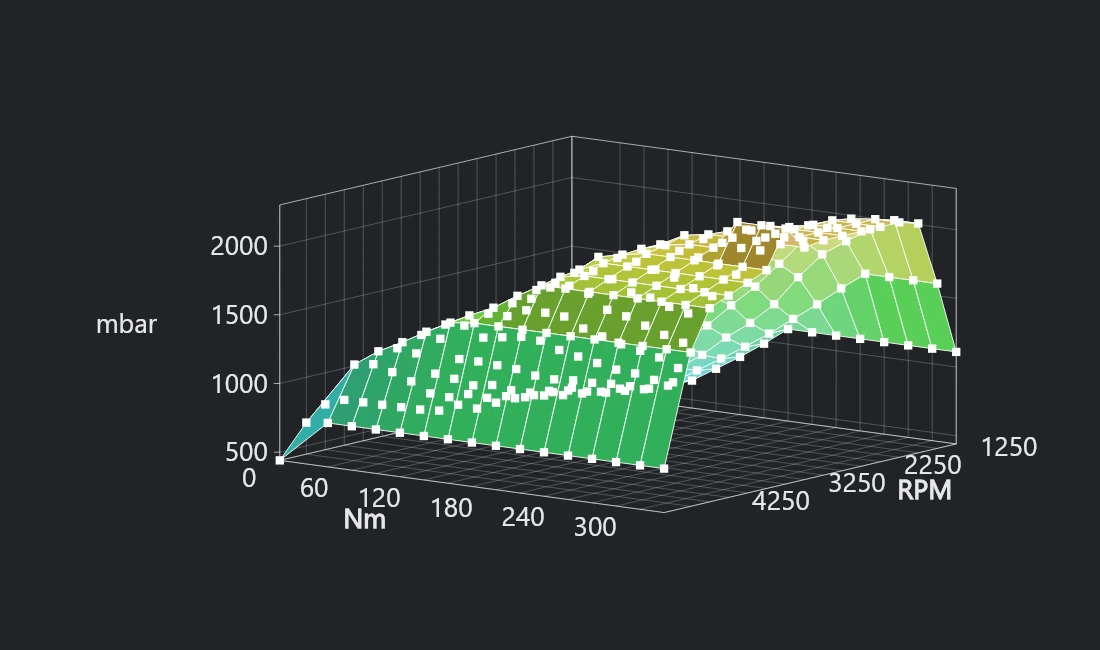
Illustrative preview — availability depends on the file and software version.
WORKSPACE + DTC STUDIO + MAP STUDIO + FILE SERVICE
YOUR WORKSPACE
One account for the whole workflow: ECU identification, analysis, editing, project history and contact with an operator.
Upload an ECU read, check its identification and find solutions available for your file.
Identification · analysis · modulesBrowse detected fault codes, select entries and use OFF editing where the file supports writing.
Fault codes · table · editingMatch an available mappack, open maps and their axes, and work with values in 2D and 3D views.
Mappacks · axes · projectsUse available definition files and A2L resources within the portal.
Definitions · resources · filesReturn to saved files and projects and continue working without searching across different locations.
Files · save · resumeSubmit your file for manual processing, attach selected fixes and DTCs, track the status and receive replies in the portal.
Tickets · messages · filesSOLUTION CATALOGUE
These are the solution types available in the portal. Each feature is checked for the specific ECU file and software version.
No matching modules. Change your search or category.
Analysis, DTC support and map matching may vary between software versions. Your file’s analysis determines the available operations.
FROM FILE TO RESULT
Log in and add your ECU file to Workspace.
Run identification and analyse available solutions.
Work with fixes, DTCs or maps supported by your file.
Download the result, save your project or create a support ticket.
CHOOSE YOUR ACCESS
Try Demo with 10 files in total for 30 days. Choose Standard or Professional for monthly or annual access to all portal tools.
Choose 1 month or 12 months · save 20% yearlyExplore ECUFix Cloud before choosing a plan for regular work.
The Demo limit does not reset daily. Check free registration availability.
Start DemoThe complete workspace for everyday ECU file work in your workshop.
15 files per day
12 × €30 − 20% = €288€24 / month, paid yearly
One payment for the selected period via Stripe. No automatic renewal.
Buy now ↗All tools and a higher file allowance for a busy workshop.
30 files per day
12 × €50 − 20% = €480€40 / month, paid yearly
One payment for the selected period via Stripe. No automatic renewal.
Buy now ↗Demo registration availability is checked regularly. Selecting Standard or Professional does not charge you.
One payment for the selected period via Stripe. No automatic renewal. Limits apply to distinct source files; uploading the same read again does not use another slot. Daily limits reset on Poland time. All features means access to the tools, not guaranteed support for every ECU and software version. Manual Support / Gold work and extra credits are billed separately as shown in the portal.
No. Available solutions depend on the ECU family, software version and file contents. The portal shows the analysis of your specific read. A module being listed does not mean that every file is supported.
DTC Studio displays detected fault codes and lets you work with a supported table. OFF editing requires confirmed write support for your file. A read-only table does not grant write access.
Map Studio uses available definitions and mappack matching. For supported files, you can open maps, dimensions and axes and work with their values. Matching is checked for the specific file and software version.
Create a Support ticket with your file, selected fixes, DTCs and notes. Status updates, messages and response files appear in the portal. The manual processing cost is shown before you submit the ticket.
Demo: 10 files total, valid 30 days from registration, no Map Studio. Standard: 15 files/day, €30/month or €288/year. Professional: 30 files/day, €50/month or €480/year. Annual payment includes a 20% discount. Access starts after confirmed payment.
Open the portal and log in. If you do not have an account, choose registration on the login screen. Confirm your email address to receive access details, then add a file to Workspace.
READY FOR YOUR NEXT PROJECT?
Open ECUFix Cloud and discover the available options.


